
In part one I built an “assistant office” in the browser. It was a small Python server running on localhost, with a web page on top. It looked nice (especially the pixel-art). It also meant one more server to start, keep alive and maintain.
So I moved it, to the place I spent my time quite a lot anyway. The office now lives inside the Claude Code window as mods. Mods are small add-ons: panels, bars, notifications and guards. I’m not a programmer. I made them with Claude by describing what I wanted. It was quite simple since I knew what had worked well and what I wanted to improve.
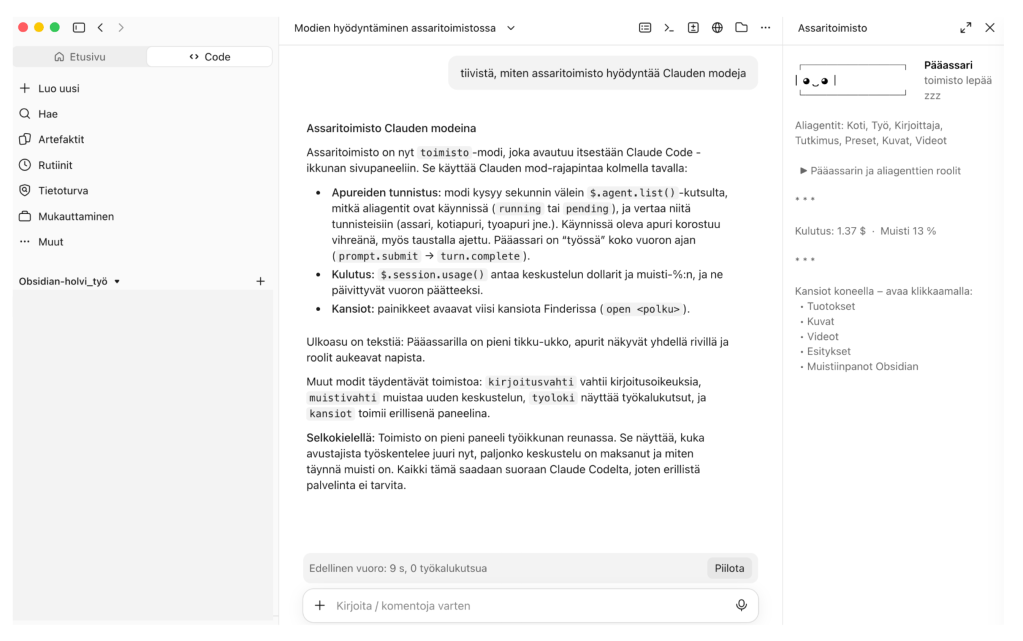
What I carried over from the original office
- Memory guard: reminds me when memory is over 60% full. Time to consider a new conversation.
- Turn bar: shows how long the last turn took.
- Folders: my five key folders open in Finder with one click.
- Office: the main assistant is now a small stick figure. The helpers are plain text. Cost in dollars and memory percentage sit below. When a helper is working, its name turns green, so I see who is active. Needed? Perhaps not but I wanted to have this, haha.
Two mods are new: a write guard, which asks permission before Claude writes to Slack, email, calendar, Jira, Confluence or GitHub (reading doesn’t ask), and a work log of what the helpers are doing right now.
I do have a few automations running with Claude Routines to my Slack but those are not part of my assistant office. Its not needed.
The helpers
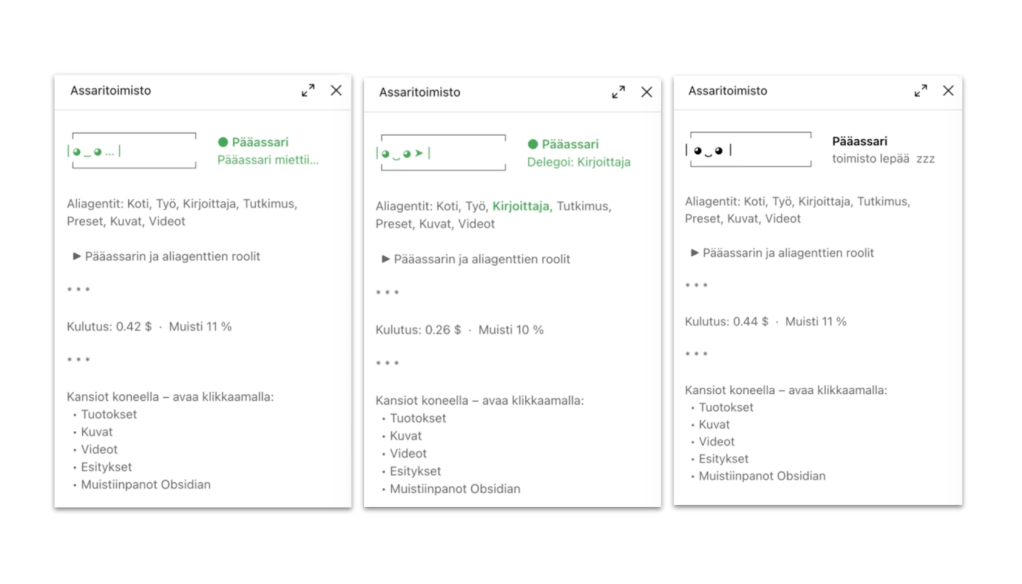
- Main assistant: understands the request, delegates, and answers me.
- Home helper: reads my private email and calendars.
- Work helper: reads my work tools such as Slack, Sharepoint, Outlook, Confluence etc.
- Writer: drafts posts and texts in my voice if I want.
- Research helper: searches the web and cites sources. Is connected to a few MCP’s as well, and my Notion-table that includes information about AI use cases in media.
- Presentation helper: makes slide decks in an Alma brand template based on sa specific design system.
- Image helper: generates one image at a time, on request. Uses Gemini API and Magnific API.
- Video helper: makes and edits videos, and transcribes audio locally.
The folders
- Output (everything the assistant produces)
- Images
- Videos
- Presentations
- Notes (my Obsidian vault)
What works
- Everything is in the same window as the work.
- No server, no browser tab to keep alive.
- The guards give some more control.
- Cost and status are always visible.
- New mods are easy to add.
What doesn’t
- It still only works in Claude Code, as a wholesome assistant office. Not in chat, not on mobile. I actually don’t want to add remote controls for this at least as of yet. I can for example use all of my connectors normally via basic Claude chat from phone, that is quite enough.
- It’s text and a stick figure, not pixel art. The old office is still usable if I want to get back to it (it launches via an app button on my Mac).
- The mod technology is new and changing. It is not always easy to discover what works with what.
My takeaway: I think I’ve traded looks for better control and easier upkeep. But we will see what happens in the future. What I’ve noticed anyway now is that my agent office has become my number one place where I use Claude. A good sign I think. And more importantly, I feel that it makes my life easier in quite a few ways.
The future? I’m looking forward to testing Claude Duet or ChatGPT Dots at some point since the idea of 24/7 agents doing stuff for you proactively is quite alluring. But still, I’d like to semi-build something my self rather than get something off-the-shelf.

